


TizzChat: Craft Your World
2.840.00 Reviews
App Specs
- Version
- 1.1.4
- Updated On
- License
- Free
- Downloads
- 50,000+
- Developer
- NATUREAI TECHNOLOGY PTE. LTD.
- Categories
- Entertainment
- Platform
- Android
Screenshots
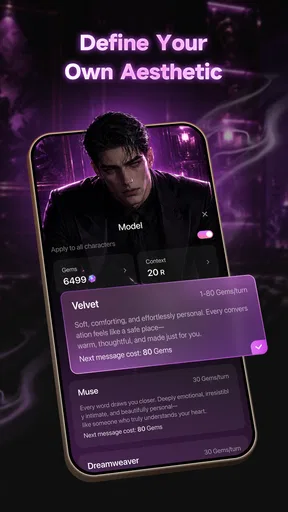
 Analysis by AppCompare
I approached TizzChat: Craft Your World as an entertainment app rather than a conventional messaging tool, and that distinction matters. Its central appeal is the combination of chatting, story creation, and imaginative world exploration. In my experience, that makes it more interesting than a simple text-based conversation app, but also less predictable than a focused social platform or a dedicated writing tool.
My overall view is cautiously positive: TizzChat can be enjoyable when I want a relaxed, creative conversation or a quick way to turn an idea into a fictional scenario. It is less convincing when I need dependable communication, polished long-form writing, or a clearly structured game. The app sits between those categories, and its success depends heavily on whether you enjoy experimenting with open-ended entertainment.
How the creative chat experience feels in everyday use
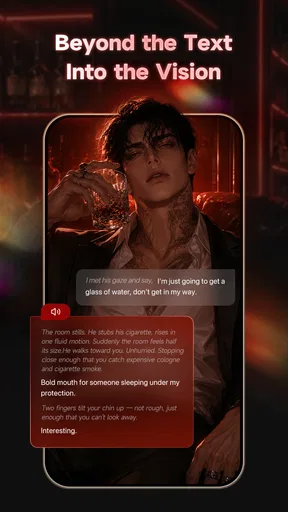
The most useful way to understand TizzChat is to think of it as a space for guided imagination. Instead of opening it with one fixed goal, I can use it for several lightweight activities: starting a fictional exchange, developing a character, shaping a story idea, or exploring a setting simply to see where the conversation leads.
That flexibility is its strongest quality. A traditional chat app is built around real people and practical messages, while a writing app usually expects me to arrive with a plan. TizzChat occupies the middle ground. I can begin with only a loose idea, such as a mysterious town, a difficult decision, or a character with a hidden motive, and use the conversation to develop it gradually.
I found that approach especially suitable for short sessions. If I have a few spare minutes, I do not need to prepare an outline or decide on a complete plot. I can test an opening scene, change the mood, or ask the conversation to move in a different direction. That makes the app feel approachable for casual users who like stories but do not necessarily want to write a full novel.
A realistic everyday use case would be an evening when I want something more engaging than scrolling through short videos but do not have the concentration for a full game. I might create a small scenario, explore it for a while, and stop when the idea has reached a natural pause. The experience is closer to interactive daydreaming than to a finished entertainment product, which can be either refreshing or frustrating depending on what I expect.
The store presents TizzChat as an entertainment app, and that classification feels appropriate. It is not something I would use to replace a normal messenger, and I would not treat it as a serious productivity system. Its value comes from the mood it creates and from the freedom to play with ideas without committing to a formal project.
Worth Reading Before You Choose

EA SPORTS FC Mobile 26 Is a Bigger Football Game, but It Takes Time

Flipboard Shows What News Apps Must Do Beyond the Feed

Switching to Android Auto Means Rethinking Your Driving Routine

Google Calendar Makes a Crowded Week Easier to Manage

Ludo King Makes the Most of the Minutes Between Plans

Baby Panda World Brings Quick Play to Modern Phones, but Its Game Library Feels Busy
The developer behind it is NATUREAI TECHNOLOGY PTE. LTD. The app is free to install, which makes trying the basic experience relatively easy. It is aimed at mature users aged 17 and over, so I would not recommend handing it to a younger teenager simply because the interface looks approachable. The age guidance should be taken seriously when deciding whether it is suitable for a shared family device.
Where the app is more useful than its short description suggests
One of the less obvious strengths is that a conversation can serve as a low-pressure brainstorming partner. I can use it to compare possible story directions before choosing one, or to keep a scene moving when I have run out of ideas. This is not the same as receiving expert editorial feedback, but it can help overcome the blank-page problem.
A practical workflow is to begin with a narrow prompt rather than a huge premise. Instead of asking for an entire fantasy universe, I would start with one location, one conflict, and one character goal. That gives the exchange something concrete to build on. Once the tone is established, I can introduce complications one at a time. This produces a more coherent experience than throwing unrelated ideas into the same conversation.
Another useful habit is to treat each session as an experiment. I would not expect every generated direction to be equally compelling. If a scene loses energy, changing the setting or the character’s objective is often more productive than repeatedly asking for the same type of continuation. The app is at its best when I actively steer it rather than waiting passively for it to create all the entertainment.
That steering also reveals a trade-off. The freedom to shape a world is appealing, but it places some responsibility on me as the user. Someone looking for a tightly designed adventure with clear objectives may find the experience vague. Someone who enjoys improvisation will probably appreciate having room to redirect the conversation.
Creative use cases beyond casual storytelling
I can see several specific ways to use the app without treating it as a full writing platform. A beginning writer could test dialogue between two characters before drafting a scene. A role-playing fan could explore the personality of a new character. A reader who enjoys speculative fiction could play with alternate outcomes to a familiar type of premise. Even someone planning a tabletop session could use a short exchange to discover an unexpected location or conflict.
There is also value in using it as a private rehearsal space for ideas that are not ready to show anyone else. I may want to explore a strange premise without worrying whether it sounds polished. Because the activity is informal, I can try something, discard it, and begin again without the pressure attached to a finished document.
My most useful tip is to keep a clear separation between inspiration and final work. If TizzChat produces an interesting concept, I would copy the idea into a separate writing system and revise it there. The app is better suited to discovery and play than to organizing a large project. That distinction prevents disappointment and makes its strengths easier to appreciate.
I would also avoid relying on one long conversation for an entire project. Long creative exchanges can become difficult to navigate, especially when an early detail no longer fits the direction I want. Starting a fresh thread for a new scene or a revised premise keeps the experiment easier to control. This is a small workflow change, but it makes the app feel less chaotic.
The main weakness: freedom can become a lack of direction
The same openness that makes TizzChat inviting is also its biggest limitation. When I want a clear beginning, middle, and end, an app built around open-ended interaction may feel unfinished. I can enjoy exploring a world, yet still wonder what I am supposed to do next. That is a meaningful weakness for users who prefer structured challenges, defined progress, or a strong sense of completion.
It also means that the quality of a session depends on the starting idea and on how carefully I guide it. A vague prompt can lead to a vague experience. The app does not automatically turn every small thought into a memorable story, so users expecting consistently polished results may be disappointed.
The entertainment category creates another point of comparison. A conventional messaging app is better for reliable contact with friends because it is designed around real conversations. A dedicated fiction-writing app is better for editing, organizing chapters, and maintaining a long-term manuscript. A story-driven game is usually better at pacing, objectives, and reward. TizzChat is more flexible than all of those in one narrow sense, but it is not as specialized as any of them.
I would therefore avoid describing it as a replacement for those alternatives. Its role is closer to a creative playground. That can be enough for a user who wants variety, but it may feel too loose for someone who already knows exactly what kind of experience they want.
What the rating and audience size suggest
TizzChat has an average rating of 2.8 from around 200 ratings, with around 40 written reviews, and it has passed 50 thousand installs. Those figures suggest that the app has attracted real curiosity but that the experience has not been universally convincing. I would read that combination as a reason to approach it with moderate expectations rather than assuming it will work perfectly for everyone.
For me, the rating is understandable because this type of app is unusually dependent on personal taste. A user who enjoys improvisational storytelling may find the open format entertaining, while another person may see the same format as confusing or limited. The difference is not only about technical quality; it is also about whether the app’s loose structure matches the user’s preferred way to relax.
The current version is 1.1.4, and the app requires Android 7.0 or later. That makes it accessible to many older Android devices, although actual comfort will still depend on the phone and on how smoothly the individual session runs. I would check the device requirement before installing it on an older handset, particularly if storage or performance is already tight.
Costs, mature content, and sensible expectations
The free entry point is helpful because I can decide whether the style suits me before spending anything. At the same time, in-app purchases range from $1.49 to $299.00 per item. That is a very wide range, so I would be careful around any purchase prompts and would review each option before confirming it.
My advice is simple: use the free experience as a trial, decide what kind of value you are actually receiving, and avoid paying merely because a conversation has become interesting. Creative curiosity can make optional purchases feel more urgent than they really are. If I were setting up the app for someone else, I would also make sure the device’s purchase controls were configured appropriately.
The mature 17+ rating is another reason to use judgment. Even if a particular session seems harmless, the app’s imaginative and conversational nature can lead into themes that are not suitable for children. I would not assume that an entertainment label means family-friendly content, and I would keep the app’s audience guidance in mind when recommending it to others.
Privacy and personal boundaries matter here as they do with any conversational entertainment app. I would avoid entering sensitive personal information, private contact details, or anything I would not want associated with an online service. The best material to share is fictional, general, and easy to discard.
Who will get the most from TizzChat?
I think the best audience is adults and older teens who enjoy experimenting with fictional situations, character dialogue, and imaginative settings. It is particularly suitable for people who want a quick creative diversion rather than a demanding game or a formal writing course.
It may also suit users who often have ideas but struggle to begin. The conversational format lowers the barrier to entry: I can write a short setup instead of opening a blank document and trying to produce polished prose immediately. That makes it useful as a warm-up tool, provided I remember that the final editing still needs to happen elsewhere.
I would recommend it less strongly to people seeking dependable social communication, competitive gameplay, or a carefully authored narrative. If your priority is messaging friends, choose a normal messenger. If your priority is building a long manuscript, use software designed for drafting and organization. If you want rules, levels, and a definite ending, a conventional game will probably be more satisfying.
I would also skip it if I dislike steering an experience. TizzChat rewards participation. The more clearly I define the premise, tone, and direction, the more useful the session becomes. Someone who wants to press a button and receive a complete, polished story may find the process too inconsistent.
My verdict after using it as a creative entertainment app
TizzChat: Craft Your World has a clear identity, even if it does not fit neatly into one familiar category. I like it most as a flexible place to test ideas, improvise scenes, and spend a short amount of time in a fictional setting. Its free access makes experimentation easy, while the broad purchase range means I would remain cautious and deliberate about spending.
The app’s biggest strength is the freedom to move between chatting, story creation, and world exploration without requiring a formal plan. Its biggest weakness is the lack of the structure that makes dedicated games, messengers, and writing tools dependable. Those are not minor differences; they determine whether the experience feels liberating or unfocused.
My recommendation is therefore specific rather than universal. Try it if you enjoy open-ended creative play and are comfortable guiding the conversation yourself. Keep your first sessions small, use focused prompts, and treat promising results as starting points for your own work. Choose a more specialized alternative if you need polished writing tools, reliable communication, or a fully designed game.
In short, I see TizzChat as a worthwhile creative diversion for the right person, not as an all-purpose replacement for the apps it overlaps with. Its appeal comes from possibility, and that possibility is most enjoyable when I approach it with realistic expectations, a little imagination, and firm control over purchases and personal information.
Pros
- Creative world-building tools encourage imaginative storytelling.
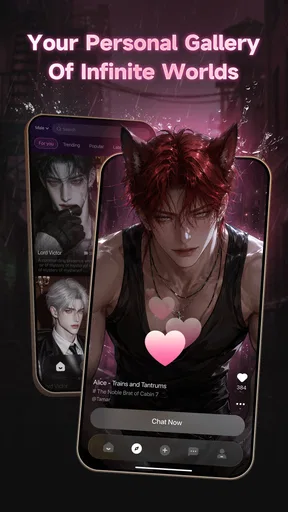
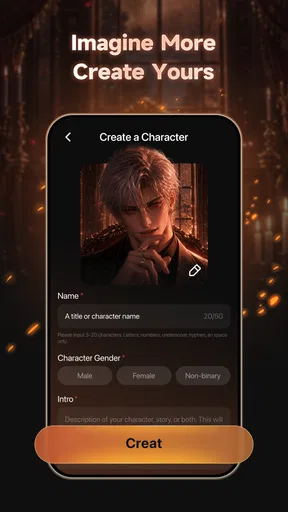
- Customizable characters help users create a personal chat experience.
- Interactive conversations make roleplay feel more engaging.
- A playful interface is easy for younger users to explore.
- Frequent creative prompts can help overcome writer’s block.
Cons
- Some advanced customization options may require in-app purchases.
- The experience can feel limited without an active internet connection.
- User-created content may vary widely in quality and appropriateness.
- Large worlds and media can use considerable device storage.
- New users may need time to understand all creation features.
FAQs for TizzChat: Craft Your World
What is TizzChat: Craft Your World?
TizzChat: Craft Your World is a social and creative mobile experience that combines customizable spaces, character expression, and interactive communication. After exploring the app, I found that its main appeal is the freedom to create a personal world and use it as a place to chat, socialize, and show your style. It is designed for users who enjoy virtual environments more than traditional messaging apps.
Is TizzChat: Craft Your World free to download and use?
TizzChat: Craft Your World can generally be downloaded without an upfront payment, allowing users to try its main features before deciding whether to spend money. However, some customization items, virtual goods, upgrades, or optional features may require in-app purchases. Before downloading, parents and users should review the store listing and purchase settings, especially if the app will be used on a shared device.
Does TizzChat: Craft Your World require an internet connection?
Yes, users should expect TizzChat: Craft Your World to rely on an internet connection for its social features. Creating or visiting shared spaces, communicating with other players, synchronizing progress, and accessing online content may not work correctly offline. A stable Wi-Fi or mobile data connection is recommended, particularly when entering busy virtual areas or using features that load customized content from the app’s servers.
Is TizzChat: Craft Your World safe for children and private to use?
The app includes social interaction, so users should treat privacy and safety as important considerations. Depending on how communication works in the current version, players may encounter content or messages created by other users. Children should use the app with parental guidance, avoid sharing personal information, and use available blocking, reporting, and privacy controls. Parents should also check the app’s age rating and privacy policy.
What devices are compatible with TizzChat: Craft Your World?
Compatibility depends on the version available through the Android or iOS store and the operating system installed on your device. Because the app features interactive worlds and online content, older phones or tablets may experience slower loading, reduced performance, or limited access to certain effects. Before installing, check the official store page for the required Android or iOS version, available storage, and any device-specific restrictions.


